Black Friday $39 one PC · $99 Businessregular price $59 / $149 Black Friday ends Monday 30 November at 11:59 PM Eastern.
Black FridayFrom Thu 19 Nov: $39 one PC, $99 Business. Regular price $59 / $149.
XYZYō Prices · Black Friday

MetaSage· XYZYō1/8

Live · any browser · your network

Your Windows PC, live in any browser.

Run one 38 KB program on a Windows PC. Open its address on a phone, a tablet, a Mac or another PC on the same network, and the screen is right there, moving. Tick Control, type the password, and its mouse and keyboard are yours too.

Paid once · one Windows PC · Business covers up to 5 PCs for $149$99 · Black Friday price, regular $59 / $149
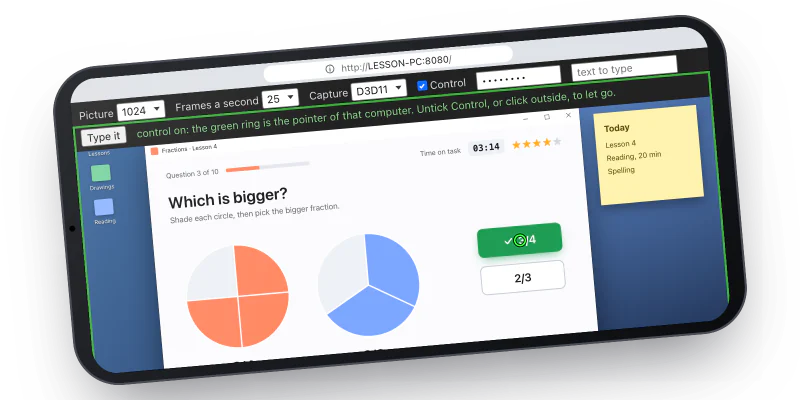
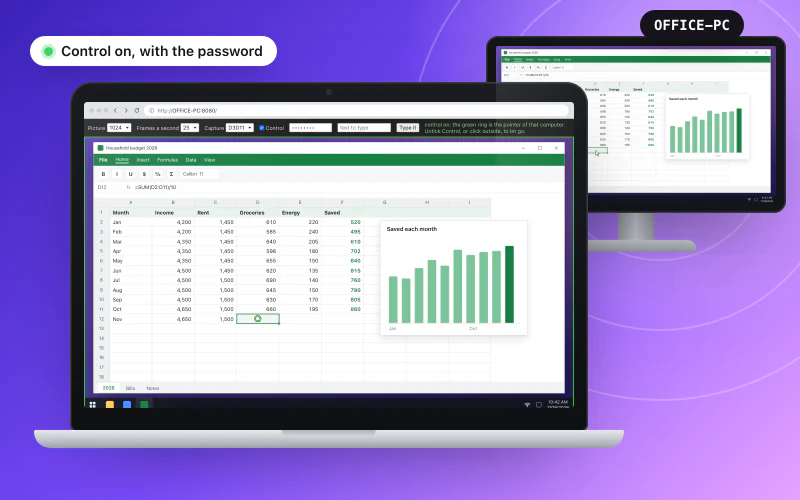
Drawing of a phone held sideways showing the same page with Control ticked and the green ring on the 3/4 answer.
The demo: the page the program serves, open on another computer. A password, a tick in Control, then the mouse and keyboard reach the PC: your arrow is on the viewing side, the green ring is the PC’s own pointer. The desktop is a drawing, not a real screen.
  • 38 KB program
  • 64- and 32-bit
  • Tested with 8 viewers at once
  • Runs as a Windows service
  • Source code included
  • Paid once
  • No app on the viewing side
  • Mouse + keyboard behind a password
  • Guided setup in plain words

MetaSage· XYZYō2/8

By the numbers

Tiny program. Big picture.

38KB

The whole 64-bit program. A 32-bit build comes in the same download.

8

Viewers at once in testing. Viewers asking for the same picture share one capture.

6

Picture sizes, from full size down to 480 px wide.

4

Ways to grab the screen: GDI, GDI+, D3D9 and D3D11.

3

Plain questions in the setup, asked before anything changes.

0

Apps to install on the phone, tablet or Mac doing the looking.

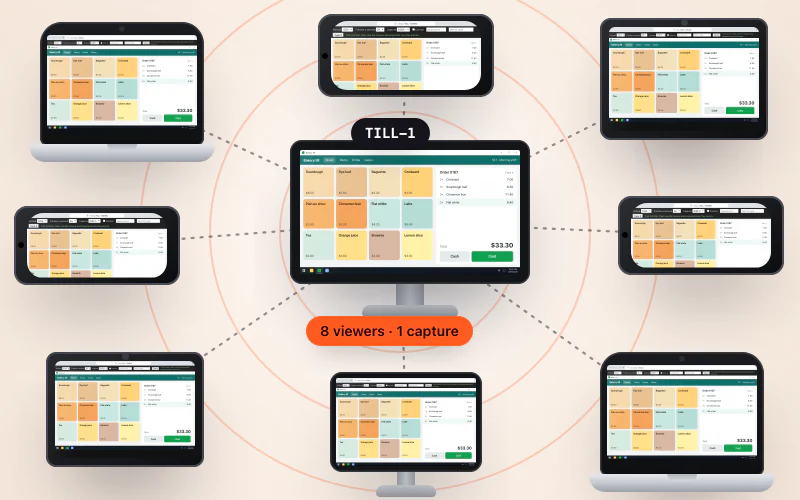
Drawing: a shop's till PC in the middle and eight devices around it, two laptops, two tablets, three phones and a monitor, all showing the same live picture of the till.
One PC, eight browsers, one capture. Eight is the number tested at once.

MetaSage· XYZYō3/8

Where it helps

The PC is over there. Its screen is right here.

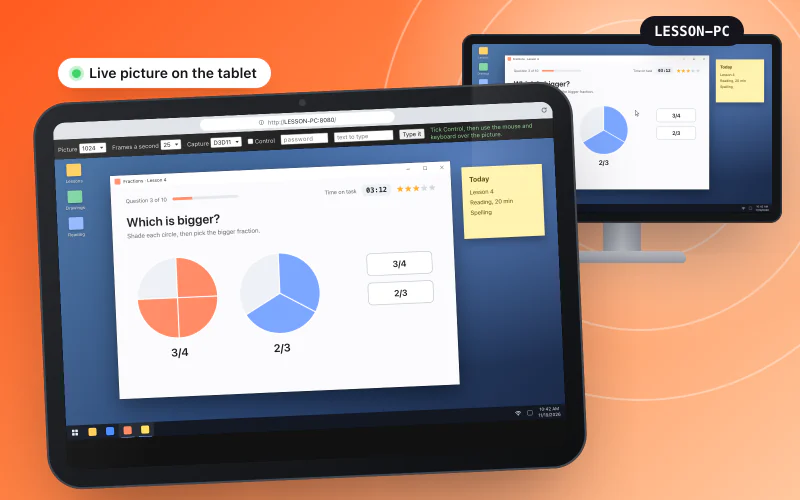
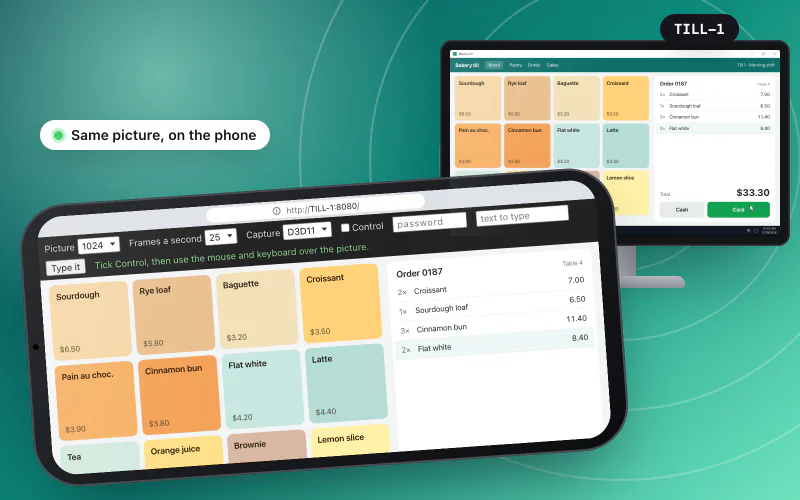
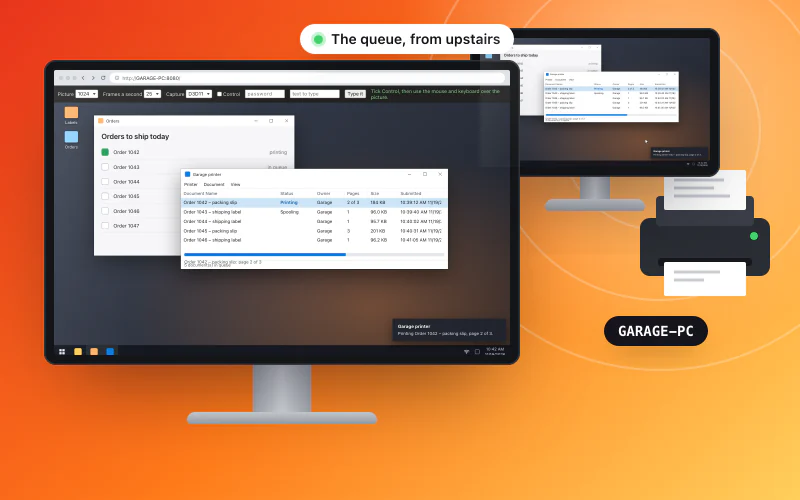
Run it on the PC you look after, then open its address on whatever is in your hand. Four everyday spots for it:

MetaSage· XYZYō4/8

How it works

Unzip. Double-click. Three questions.

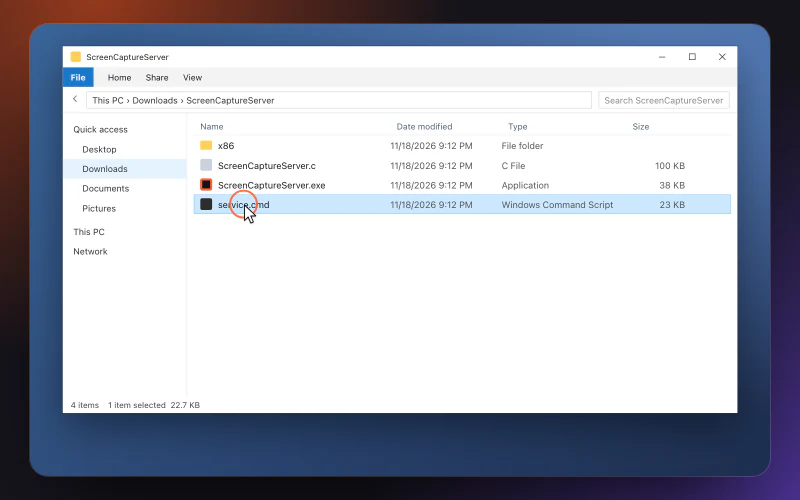
  1. Unzip it on the PC you want to see

    The 64-bit program, its 32-bit twin, the setup file and the source arrive together. There is nothing else to install.

    Drawing of a Windows file window with the unzipped download: the x86 folder, ScreenCaptureServer.c, ScreenCaptureServer.exe at 38 KB and service.cmd, with the pointer double-clicking service.cmd.
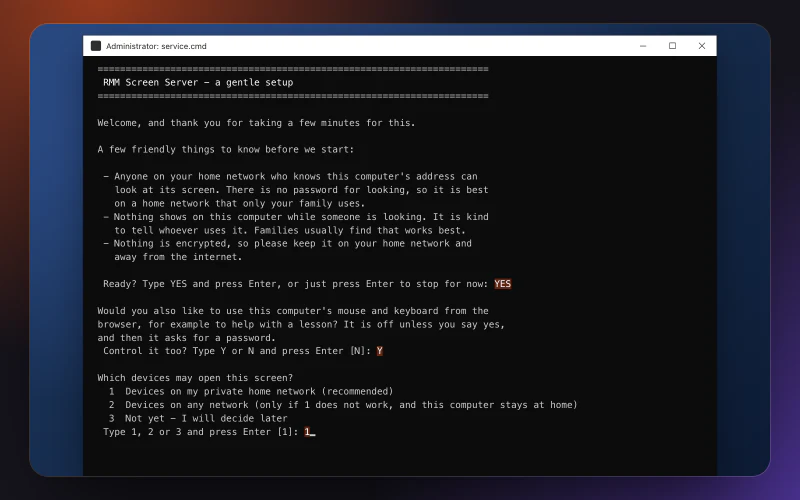
  2. Double-click service.cmd

    Windows asks for permission first; choose Yes. The setup says what it will do in plain words, then asks: ready? the mouse and keyboard too? which devices may look?

    Drawing of the setup's console window: a welcome, the plain-words notes about looking without a password, nothing showing on the PC and nothing being encrypted, then the answers YES, Y and 1.
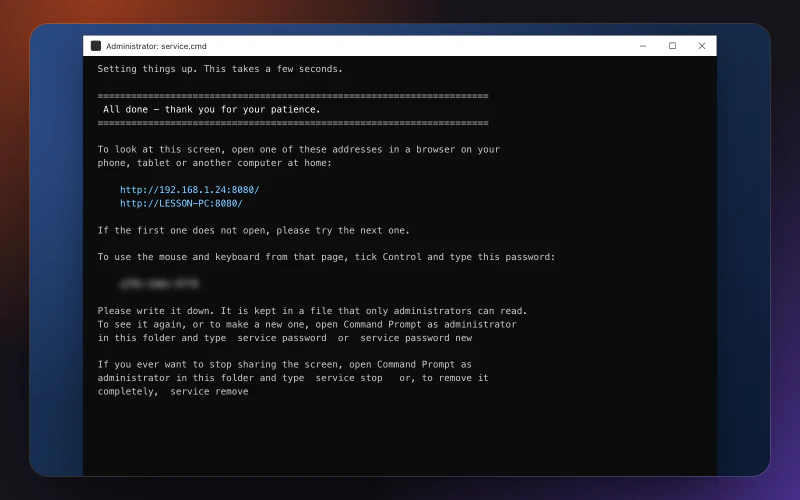
  3. Open the address it prints

    From then on it runs as a Windows service, so it is back after a restart. The password is random, and only administrators can read the file that keeps it.

    Drawing of the end of the setup: All done, the addresses http://192.168.1.24:8080/ and http://LESSON-PC:8080/, a blurred password, and how to stop or remove the service.
  4. Watch, and lend a hand

    Choose the picture size and frames a second. Tick Control and enter the password whenever you want the mouse and keyboard.

Get it for $59$39

Three questions from now, the screen is in your browser.

MetaSage· XYZYō5/8

What you get

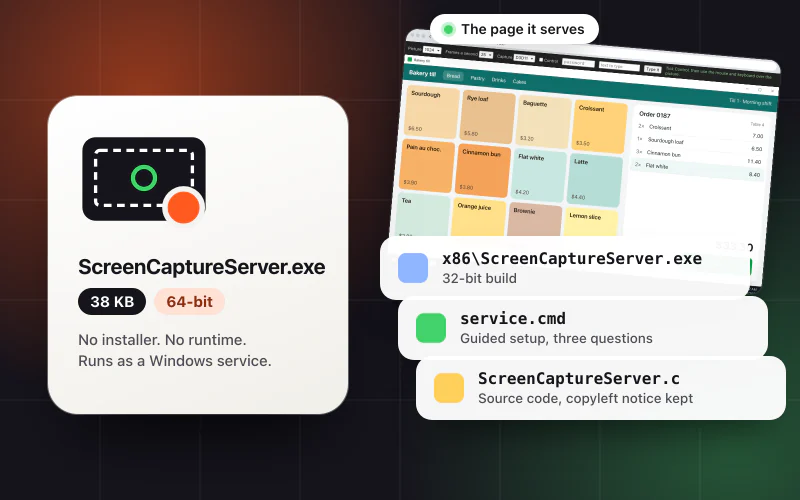
Everything is in the download.

Drawing of the download: ScreenCaptureServer.exe, 64-bit, 38 KB; the 32-bit build in the x86 folder; service.cmd, the guided setup; ScreenCaptureServer.c, the source code; and the page the program serves.
The program
About 38 KB for 64-bit Windows, plus a 32-bit build. No installer, no runtime.
The setup
service.cmd explains each step, asks before it changes anything, and installs the program as a Windows service that starts with Windows.
The page
One address shows the live picture, with menus for size, frames a second and capture method. /getImage gives one still picture, /getVideo a video stream, /healthCheck a quick check.
Control
Mouse (move, click, right and middle click, wheel) and keyboard from the page, with the password. With no password, control works only on the same PC.
The source
Included, with the original author’s copyleft licence notice. The price pays for the ready-to-run program; the source keeps its copyleft terms.

MetaSage· XYZYō6/8

Things to know

Straight talk, before you buy.

  • Looking needs no password. Anyone on your network who knows the address can look. The password protects only the mouse and keyboard.
  • Nothing shows on the PC while someone looks. Tell whoever uses it.
  • Nothing is encrypted. Keep it on a home or office network you trust, never open to the internet.
  • Your network only, no relay. To reach it from somewhere else, set up your own VPN or SSH tunnel.
  • No sound, clipboard or file transfer. Control works on the main monitor only. It isn’t a full remote-desktop tool or a full RMM platform.
  • Tested on Windows 10. Not code-signed yet, so Windows may show a warning the first time.
  • For computers you own and people you look after, with their knowledge.

MetaSage· XYZYō7/8

Questions

Asked, and answered.

Do I need an app on my phone?

No. The PC serves a web page, and any current browser on the same network opens it: phone, tablet, Mac or another PC.

Can more than one person look at once?

Yes. Viewers asking for the same picture share one capture, so extra viewers add little work for the PC. It was tested with 8 viewers at once.

Can I look at it when I’m away from home?

Not on its own. It has no relay and nothing is encrypted, so keep it on your own network. From somewhere else, use a VPN or an SSH tunnel that you set up yourself.

Will the person at the PC know someone is looking?

Nothing shows on the PC while someone looks, so tell whoever uses it. It is made for computers you own and people you look after, with their knowledge.

What happens when the screen locks?

Viewers keep the last picture and carry on when the desktop comes back. That was tested with the lock screen, Windows permission prompts and a switch to another user.

Which Windows does it run on?

It’s tested on Windows 10, and the download has 64-bit and 32-bit builds. It isn’t code-signed yet, so Windows may show a warning the first time.

How do I stop it or take it off?

Open Command Prompt as administrator in its folder and type service stop, or service remove to remove it completely.

Refunds and support?

Refunds are covered by the store terms. Support isn’t included in either price. A question before you buy? Contact us.

MetaSage· XYZYō8/8

The deal

Paid once. Yours to keep.

Black Friday ends Mon 30 Nov, 11:59 PM Eastern

Black Friday prices start Thu 19 Nov: $39 for one PC, $99 for Business.

One computer

$59$39$59

Black Friday price · regular price $59 · through Mon 30 Nov

Black Friday price $39 from Thu 19 Nov

  • One Windows PC
  • Program, guided setup and source
  • Download on your order page
Get it for $59$39

Business

$149$99$149

Black Friday price · regular price $149 · through Mon 30 Nov

Black Friday price $99 from Thu 19 Nov

  • Up to 5 Windows PCs
  • Program, guided setup and source
  • Download on your order page
Get Business for $149$99

Checkout is in the metasage.com store, by PayPal or card where it is switched on. Your download is on your order page as soon as payment is confirmed. No subscription. Support isn’t included in either price; refunds are covered by the store terms. Full product page.

$59$39one Windows PC · paid onceBlack Friday · ends in

Get it